Know your next stop.
Find the pickup, destination and parcel details in your assigned delivery.
Help a local business reach its next customer. Get a thoughtful parcel to someone’s door. Be part of the everyday deliveries that keep your city moving.

Your delivery work, organised in the app.
Find the pickup, destination and parcel details in your assigned delivery.
See your delivery history and earnings details from your courier account.
Use support in the app when you need a hand with an order or your account.
Set up your courier profile and complete the checks shown in the app.
App access & setupRegister in the app as a delivery partner using your name, email and phone number.
Choose your service area, add the requested profile information and upload any required documents.
Follow your account’s verification status. Once the required checks are complete, use the courier app to manage deliveries.
The app will show the details and documents needed for your profile. Getting them ready makes setup easier.
A question about joining?For the app, delivery updates and staying in touch.
A current email address and phone number for your account.
Choose from the countries and cities available in the app.
Have clear copies ready, along with any vehicle details requested during setup.
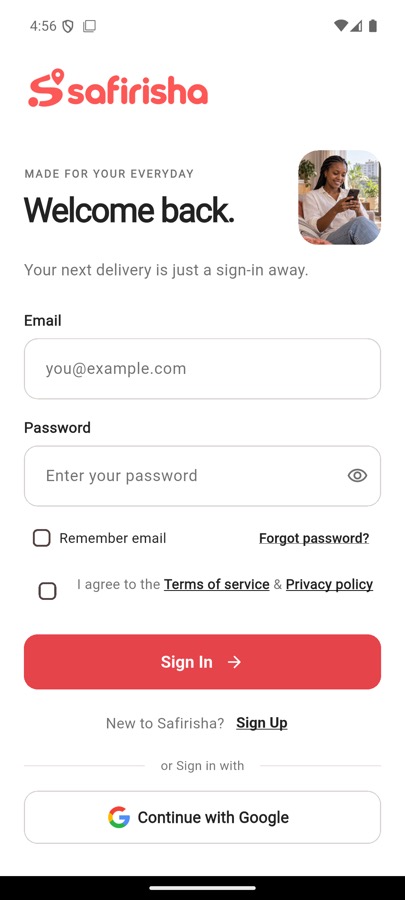
Create or sign in to your delivery partner account to continue your setup.
Public app download links aren’t available on this website yet.
View help & contact optionsA few answers for your first steps.
Select your service area from the countries and cities available in the app. Delivery availability depends on the selected area and your account’s eligibility.
Check the document requirements shown in your courier profile. Upload clear copies of the requested documents and follow their review status in the app.
See what to prepareRegistration is the first step. Complete the profile details and verification checks requested for your account before managing deliveries.
Your courier account includes earnings and delivery history. Review the amounts shown there and contact support if you have a question about a payment.
Sign in to your courier account and use Customer support for delivery or account questions. Include your order number when the question is about a specific delivery.
Visit help & contactTake a look at the steps, and see where you could fit in.